illmob.org

Create a Password Reset Disk

September 19th, 2008 by Dev Team in News, Password Info, windows

If you wanna backup your user password here is the best way:

For this you have to create a Password Reset Disk. If you are running WIndows XP Pro as a local user in a workgroup enviroment, you can create a password reset disk to logon to your computer when you forget the password. The way is depicted below:

* Click Start|click Control Panel and select User Accounts
* Click on your Account Name
* Under Related Tasks, click on Prevent a forgotten option
* Now follow the instruction in the wizard to create a password reset disk

Caution: Store this disk in a secure location as anyone can access your machine by this disk

How to reset your linux password

September 17th, 2008 by Dev Team in Linux, News, Password Info

This is a generic how to, working for all Linux distributions, not only for Ubuntu or Debian or Centos etc etc.

I see a lot of howto’s what are based on the same “story”: boot in “single mode” and type passwd to change the password, but are some systems like Debian and probably others what doesn’t let you get in single mode if you don’t know the root password … so the single mode solution it will not work.

First I will describe you the single mode solution, because the start of this solution is very similar with the next solution what I will present you in the end.
(more…)

Most popular Passwords

September 16th, 2008 by Dev Team in News, Password Info

common passwords
In the current publishing of August 2008, Government Computer News (GCN) lists the 10 most popular passwords. The source is the CTO of Advanced System Technology, Jon Kibler. Mr. Kibler analyzed the statistical distribution of passwords among 76,900 user accounts and found that 240 passwords were used more than once, while 35 had been used more than 3 times. 5 phrases were used more than 100 times.

The most popular passwords (Top 10) are:
Word / Count
123456 | 1,858 times
password | 1,482
passwd | 139 times
test | 129 times
test123 | 127 times
Blank (no password) 42 times
Admin | 29 times
root | 24 times
qwerty | 23 times
12345 | 23 times
Via: Government Computer News

Delete Internet Explorer 7’s browsing history, cookies and temporary files

September 16th, 2008 by Dev Team in News, Password Info, windows

From a command prompt or the run box, type:
RUNDLL32.EXE inetcpl.cpl,ClearMyTracksByProcess n

Where n can have the following values:

1 delete browsing history (list of visited sites)
2 delete all cookies
8 delete temporary files (cache)
16 delete all saved forms data
32 delete all saved passwords
255 delete all of the above
4351 delete all of the above and all settings stored by add-ons

Outlook Recover 1.0

September 15th, 2008 by Dev Team in News, Our Tools, Password Info, windows

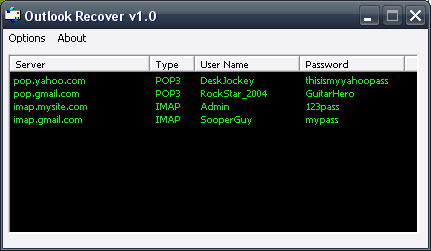
When you create a mail account in Outlook Express or a POP3 account in Microsoft Outlook, and you choose the “Remember password” option in the account properties, the password is saved in the Protected Storage in the registry, and this utility can recover it.

The Protected Storage information is saved in a special location in the Registry. The base key of the Protected Storage is located under the following key: “HKEY_CURRENT_USER\Software\Microsoft\Protected Storage System Provider”
You can browse the above key in the Registry Editor (RegEdit), but you won’t be able to watch the passwords, because they are encrypted. Also, some passwords data are hidden by the operating system.

Outlook Recover

We are releasing a Demo version of Outlook Recover that recovers the first 3 characters of your password.

[smartcounter:9]

The full version is available for $2.99 that shows the complete password.

Built in pure Assembler language this program is only 7kb and fits perfectly on a thumbdrive to carry with you anywhere.

Help support this site by purchasing it ,so we can continue to build and maintain resources that is relied on by IT techs / people in all kinds of situations.

You can purchase through paypal or e-gold from the links below. Thank you.

Pay Now with e-gold...

How Google Chrome Stores Passwords

September 15th, 2008 by Dev Team in Uncategorized

Every browser released in the last decade has some sort of password management system, and Google Chrome is no different. Sift through the Chrome source code, released under the open source project Chromium, and you’ll found out how they do it.

Let’s start at the top and work our way down. Any time a password is saved, you’re first prompted with the save password bar.
(more…)

Bypassing Windows network security

September 15th, 2008 by Dev Team in Uncategorized

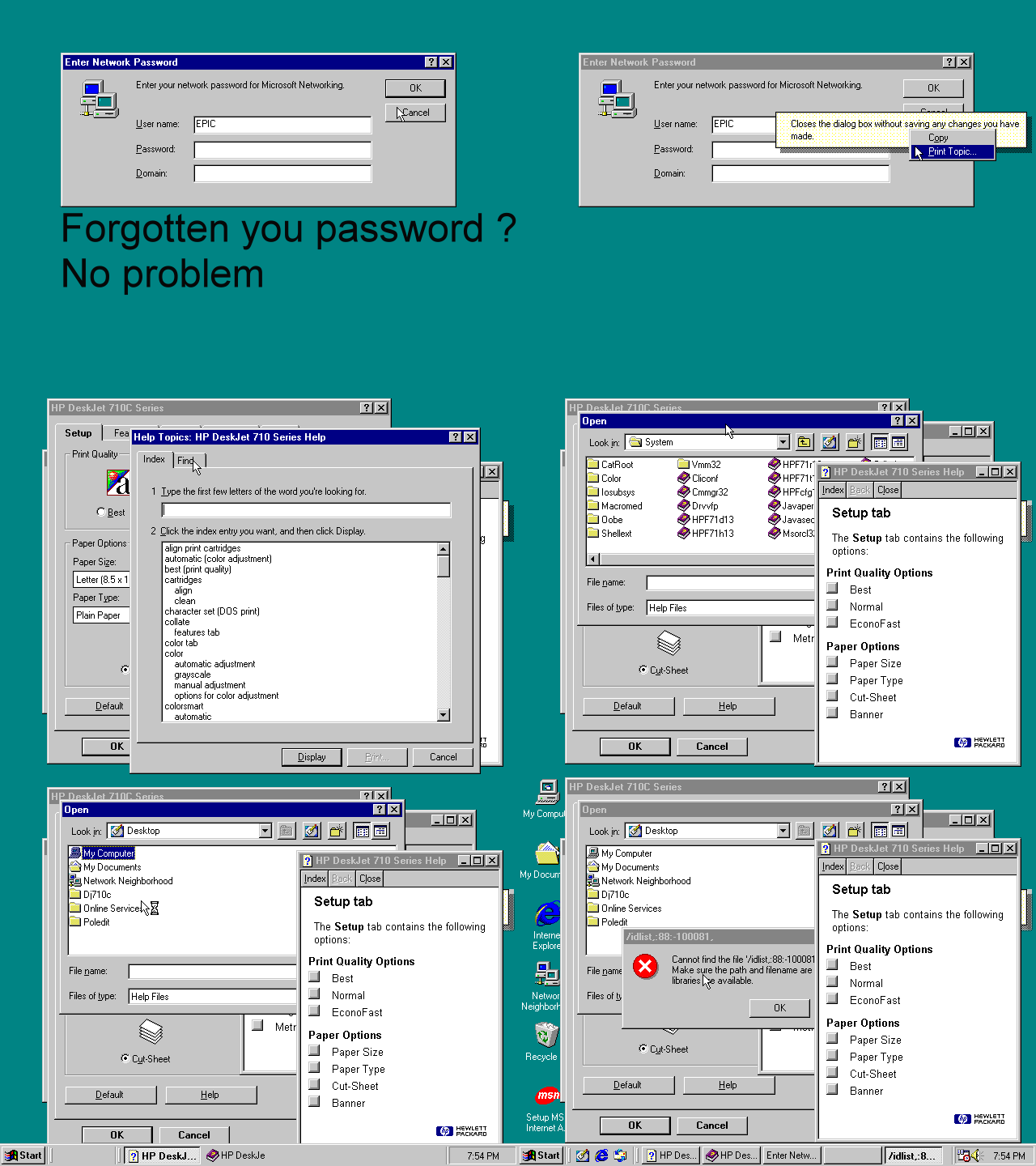
Old Skool Hack used to bypass network password

Test Weak Linux Passwords With JTR

September 12th, 2008 by Dev Team in Linux, Password Info

Enforcing password security with a multiple-user system can be a hassle — users all too often use inadequate passwords. john-the-ripper (also available via most distros) is a password-cracking tool that enables the identification of vulnerable passwords before someone with nefarious intentions finds the weakness.
(more…)

Microworld Mailscan 5.6.a Password Reveal

September 12th, 2008 by Dev Team in Password Info, windows

From MicroWorld’s website: “MailScan 5.6 is the world’s most
advanced Real-Time AntiVirus and AntiSpam solution for Mail Servers.
The software safeguards organizations against Virus, Worm, Trojan and
many other malware breeds with futuristic and proactive technologies.
Employing an array of intelligent filters, MailScan offers powerful
protection against Spam and Phishing mails along with comprehensive
Content Security.”

http://www.microworld.de
http://www.mwti.net

(more…)

Reveal Google Chrome Passwords

September 8th, 2008 by admin in Uncategorized

Being a new browser most people don’t know where to find their stored passwords. To reveal your passwords

(more…)

« Previous ArticleNext Article »