Need to secure your usb drive?


punkcomp.com

TrackSomebody.com

Sempai.inFo - 411

Sysninja.com

spunlock.com BIOS CRACKERS

illmob.org

Change your password with sticky keys

August 18th, 2010 by admin in Privilege Escalation, windows

Forgot the administrator password? There are many ways to access a Windows installation if you forgot the administrator password. Today I’ll show you another procedure to reset the Windows password by replacing the Sticky Keys application. This program allows you to use the function keys SHIFT, CTRL, ALT, or the Windows key by typing one key after the other instead of pressing them simultaneously with the second key. The main advantage of this password reset method is that you don’t need third-party software; another plus is that it is easy to carry out because no Registry hack is required, as when you offline enable the built-in administrator.

Please note that resetting the password from an account other than the corresponding user account always means that the user loses the credentials stored in the Windows Vault, stored Internet Explorer passwords, and files that you encrypted with the Encrypting File System (EFS). Of course, if you have a backup of these credentials, you can restore them; likewise, if you have exported the private EFS key, you can import it again after you have reset the password.

Like with all other solutions that allow you to reset the Windows password without having an account on the corresponding computer, you have to boot from a second operating system and access the Windows installation while it is offline.

You can do this with a bootable Windows PE USB stick or by using Windows RE. You can start Windows RE by booting the Windows Vista or Windows 7 setup DVD and then selecting “Repair” instead of “Install Windows.”

By the way, you can’t use the Windows XP boot CD for this purpose because its Recovery Console will ask for a password for the offline installation. However, you can use a Vista or Windows 7 DVD to reset a forgotten Windows administrator password on Windows XP.

This works because Windows RE, which is based on Vista or Windows 7, will let you launch a command prompt with access to an offline installation without requiring a password.
(more…)

Kon Boot 1.1

May 10th, 2010 by Dev Team in Privilege Escalation, cracking, windows

Kon Boot 1.1
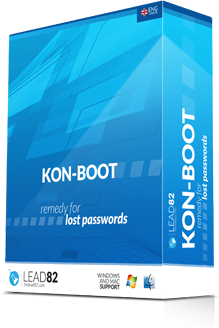
We reviewed Kon Boot 1.0 last year HERE which was a great breakthrough program that allowed you to boot into a Windows machine and bypass the logon screen without entering a password. To accomplish this, Kon Boot hooks the bios on the fly subverting the Windows kernel authentication temporarily and allowing you access. Since this is a temporary process the computer is back to normal when you reboot. This allowed you to access the computer without having to take the time to reset the password or crack it, and it left the computer untouched. Now, a year later, Kon Boot v1.1 has been released with new features, such as booting from floppy,CD, or usb, privilege escalation support which allows you to gain SYSTEM privileges from ANY account on the system. For example, you can boot from Kon Boot and log in as Guest and run ‘Net User’ command to add a new user,reset admin passwords etc as SYSTEM

It also has a bunch of new bug fixes/updates.

  1. - Added 64-bit environment support
  2. - Added USB support tools (grldr, klmemusb)
  3. - Added debugging code to make it easier to track down various compatibility problems
  4. - Fixed bug in Windows 7 support failures
  5. - Removed Linux support
  6. - Many performance improvements to source code
  7. - Improved BIOS support by reducing code size significantly

Unfortunately it is no longer free. But for a meager price of $15.99 for a personal license, it gives you free updates and support for a period of 6 months. You can still use it without restrictions after that period.
They also offer a commercial license, for $75.99 with 1 year of support and updates, allowing you to use on business environment.
To purchase Kon Boot v1. 1,visit their website http://www.kryptoslogic.com

We are also giving away 10 personal licenses this week to some lucky readers!!! More details to come!!!

How to own a Windows Domain 2.0

February 20th, 2010 by Dev Team in Privilege Escalation, windows

Back in October we showed you a video on how to own a Windows domain by passing the hash from the local admin account to the domain server to add a new domain admin account. This newer version makes the task much easier using Backtrack4 and metasploit.


(more…)

Droid and Iphone lock-screen gesture passwords bypass

February 18th, 2010 by Dev Team in Apple, Life, Privilege Escalation

You know the lock-screen gesture protection used on Iphone/Android smartphones to prevent people from picking up your phone and having immediate access to all your personal information? Right, well, I hope you’re not relying on your phone’s swipe gesture protection to keep all your dirtiest secrets from falling into the wrong hands.
The next image is a good example of how easy it is to circumvent the Nexus One’s lock-screen gesture password.
(more…)

RockYou got rocked

December 15th, 2009 by Dev Team in News, Privilege Escalation

Seems like Myspace addon on site rockyou.com fell victim to sql injection flaw and exposed more than 32 millions of passwords in plaintext.
http://igigi.baywords.com/rockyou-com-exposed-more-than-32-millions-of-passwords-in-plaintext/

How to own a Windows Domain

October 25th, 2009 by Dev Team in Privilege Escalation, windows

Security tube has a nice video on how to gain domain admin access from a workstation using some simple tools

http://securitytube.net/How-to-own-a-Windows-Domain-video.aspx

Time Warner Cable SMC8014 Modem/Router Remote Access

October 21st, 2009 by Dev Team in News, Privilege Escalation, Wireless

A backdoor vulnerability in a Time Warner cable modem and Wi-Fi router deployed to 65,000 customers would allow a hacker to remotely access the device’s administrative menu over the web, and potentially change the settings to intercept traffic, according to a blogger who discovered the issue.
David Chen, said he was trying to help a friend change the settings on his cable modem and discovered that Time Warner had hidden administrative functions from its customers with Javascript code. By disabling Javascript in his browser, he was able to see those functions, which included a tool to dump the router’s config file.

That file, it turned out, included the administrative login and password in cleartext. Chen investigated and found the same login and password could access the admin panels for every router in the SMC8014 series on Time Warner’s network , given that the routers also expose their web interfaces to the internet.

Src: chenosaurus.com

Vbootkit 2.0 is now open-source

May 8th, 2009 by admin in Privilege Escalation

Vbootkit 2.0 has now been made open-source under GPL license.

Indian security researchers have released proof-of-concept code that can be used to take over a computer running Microsoft’s upcoming Windows 7 operating system, despite earlier promising not to make the code public for fear it could be misused.

VBootkit 2.0 was developed by researchers Vipin Kumar and Nitin Kumar and is now available for download under an open-source license.
Vbootkit 2.0 currently only works on Windows 7 ( x64 edition ).

Download Vbootkit 2.0 source code

Vbootkit 2.0 Attacking Windows 7 (x64) via Boot Sectors presentation

VIA: nvlabs.in

Recovering Passwords on a Cisco Router

May 6th, 2009 by admin in Password Info, Privilege Escalation, Uncategorized

Password recovery is a fairly frequently used procedure for administrators and engineers. Even though we usually stack our passwords in some word, excel or text file, it’s very easy to forget to update them when changes occur. The end result is you find yourself locked out of the device, wondering what on earth could be the password.
Accessing a Cisco router requires certain privileges. Depending on the router’s configuration, you might be required to firstly log into the router and then enter the popular ‘enable’ password to elevate your access to privileged mode, from where you can issue configuration commands.

This article will show you how you can gain full administrator access to a Cisco router, bypassing all security passwords. The password recovery process, however, can be rendered useless if the administrator has previously configured the router not to allow this process to take place. In this case, the router will warn the user and, if he proceeds, all configuration will be erased, so there will be nothing to recover! (more…)

Spunlock BIOS Cracking Services

April 29th, 2009 by Dev Team in BIOS, Privilege Escalation

Over this past week I had a job come in the shop of a Sony Vaio laptop that had a bad motherboard. I had searched on Ebay for a cheap buy and settled on someone who had the same motherboard for about $100 less than anyone else. When I received the motherboard I promptly installed it , upon powering it up I was faced with a password prompt. Dammit! The motherboard had a BIOS password that wasn’t mentioned in the auction. Now being that I know most known methods for bypassing BIOS passwords, Sony has no known method of removing the password. I talked to a few friends and was forwarded to http://spunlock.com .

I was a bit weary at first about paying for a service , but the customer needed their laptop back that day to go on a trip. So getting the customer’s O.K. I purchased the BIOS cracking service.In order to get the correct challenge response BIOS code for most laptops you needs to enter the password incorrectly 3 times, after the third time , the BIOs should spit back a challenge code, this is what they need in order to crack the code.

After sending the payment and challenge code,much to my amazement 1 1/2 hours later I was opening an email with my code to remove the BIOS password. I punched it in and I was now watching Windows starting up. Spunlock has BIOS cracking support for many laptop brands like Dell,Fujitsu,Sony (of course) and more. So for you Techs and others who got burned on ebay, or people who simply forgot their password , give them a shot, you have nothing to lose, Don’t forget to mention whatsmypass.com in your email to them :)

ACER:SOME
ADVENT:SOME
ASUS:SOME
COMPAQ:SOME
DELL:ALL + 2A7B
E-SYSTEM:SOME
FUJITSU SIEMENS:ALL
HP:SOME
PACKARD BELL:SOME
PHILLIPS:SOME
SAMSUNG:SOME
SONY VAIO:ALL
TOSHIBA:SOME

Next Article »
  • Tags

  • RSS Digg RSS